



Introduction
Creating content in Nigeria can become expensive quickly. Data costs money, subscriptions pile up, and one person may handle writing, graphics, video, and publishing. I tested 10 Free AI Tools to discover which options could genuinely reduce that workload without turning every useful feature into a payment request.
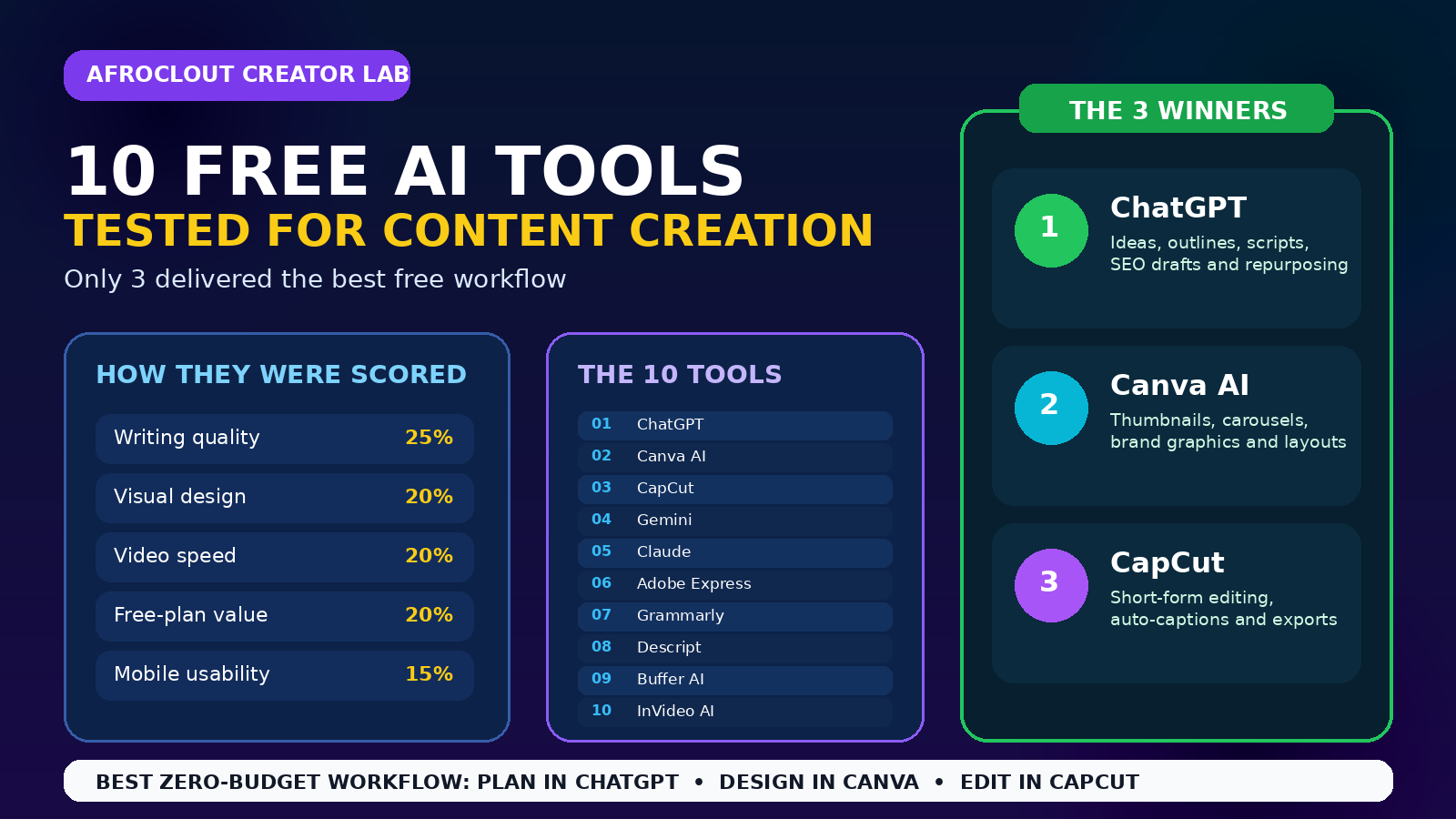
I created the same blog outline, social captions, YouTube script, graphic, and vertical video with each platform. I scored quality, speed, usability, free-plan value, and treatment of African topics.
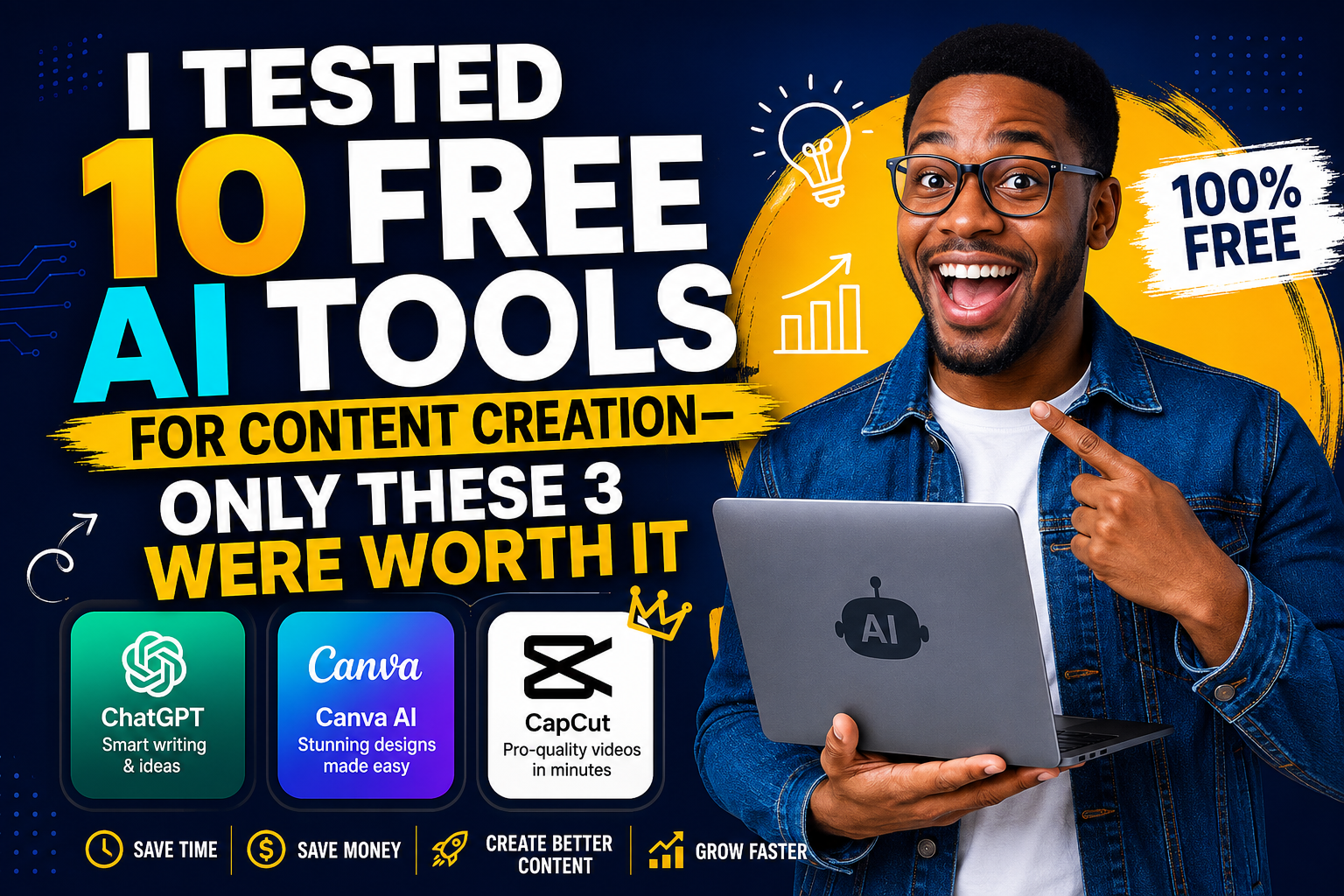
The ten tools were ChatGPT, Canva AI, CapCut, Gemini, Claude, Adobe Express, Grammarly, Descript, Buffer AI Assistant, and InVideo AI. Several impressed me. However, only ChatGPT, Canva AI, and CapCut formed a complete workflow for a Nigerian creator with almost no budget.
How I Tested These Free AI Tools
I used the same fictional brief across every platform: promote an affordable Lagos food-delivery brand to busy students and young workers. This gave each tool the same audience, offer, tone, and goal.
First, I checked whether each tool understood local details without tired stereotypes. Next, I measured editing time and noted watermarks, export limits, credit restrictions, delays, and upgrade barriers.
This matters because “free” can mean very different things. Some tools provide a working plan. Others end before you can finish a client job. Judge usable output, not a long feature list.
The Seven Tools That Fell Short
Gemini handled brainstorming well and produced alternative angles. Still, its voice sometimes felt broad. I would use Google Gemini as a second opinion, not my entire production desk.
Claude produced smooth long-form writing, but free limits can interrupt long sessions. Grammarly improved clarity and tone, yet worked better as an editor than a content engine.
Adobe Express created polished layouts and offers basic AI design tools on its free plan. However, limited generative access made repeated experiments harder. Descript simplified transcript editing, but felt better for testing than frequent production.
Buffer AI Assistant wrote decent captions, while its scheduling environment suited organised social teams. Still, it did not replace a writing, design, or video tool. InVideo AI generated quick video drafts, but free restrictions reduced its value for finished branded work.
None was useless, and some may suit specialised tasks. Nevertheless, they lacked the strongest mix of quality, flexibility, and repeat value for African creators.
Winner One: ChatGPT for Planning and Writing
ChatGPT became the centre of the workflow. I used it to turn the brief into audience problems, headline ideas, a content calendar, scripts, captions, calls to action, and repurposed posts. Its free plan supports everyday writing, although usage limits apply.
Its biggest strength was not instant copy. It was structured thinking. With a detailed prompt, ChatGPT organised scattered ideas into a useful draft. Then, I requested Nigerian examples, stronger hooks, or versions for different platforms.
The weakness is sameness. Lazy prompts produce bland language. Therefore, add your audience, location, offer, proof, tone, and desired action. Never publish the first draft untouched. Add real experiences, local prices, customer questions, and your speech pattern.
For stronger results, combine ChatGPT with AfroClout’s guide to headlines that drive traffic and this simple explanation of SEO for African creators. Those skills help you guide the tool instead of accepting weak suggestions.
Winner Two: Canva AI for Visual Content
Canva AI delivered the best balance between speed and control. I turned the campaign copy into an Instagram carousel, YouTube thumbnail, story graphic, and simple promotional flyer. Its free plan includes access to selected AI-powered tools with usage limits, while Magic Design can generate layouts from text and media.
Templates helped, but editing freedom mattered more. I could replace generic colours, adjust fonts, add a logo, resize text, and remove visuals that did not fit the Lagos audience. That control matters because attractive design can still miss its audience.
African creators should build a small brand kit manually, even on the free plan. Choose two fonts, three colours, one photo style, and consistent spacing. Consequently, different posts still feel connected.
Canva also works well with lessons from AfroClout’s list of free apps for African creators. Use templates as starting points, not finished identities.
Winner Three: CapCut for Short Videos
CapCut won because it shortened tiring editing steps. I imported phone clips, trimmed pauses, added music, generated captions, changed the format, and prepared a vertical export. CapCut promotes AI-assisted video creation, automated storyboarding, captions, smart editing, and tools for turning longer footage into short clips.
The automatic captions saved time, especially for talking-head content. However, I still corrected names, Nigerian expressions, and punctuation. Automatic tools can mishear accents or local terms, so review remains necessary.
CapCut performs best when the raw video already has a clear point. Start with a bold opening sentence. Cut silence quickly. Add readable captions. Then, use movement, supporting images, and sound only where they improve understanding.
For more ideas, study AfroClout’s guide to viral video content. Editing cannot rescue a weak message, but it can make a strong one easier to share.
The Best Free AI Tools Workflow
The winning process is simple. Plan and write in ChatGPT. Design supporting graphics in Canva. Edit and caption the video in CapCut. Together, these Free AI Tools cover the main formats creators publish daily.
For example, begin with one useful article. Ask ChatGPT to extract a video script, carousel outline, five captions, newsletter summary, and WhatsApp teaser. Build the carousel and thumbnail in Canva. Record the script with your phone, then finish it in CapCut.
This approach supports monetisation. One idea can serve several platforms, attract followers, promote a service, and support digital offers. AfroClout’s guide to creator income streams explains why creators should diversify how attention becomes revenue.
How to Get Better Results Without Paying
Start with a clear content goal. “Write something about business” is weak. “Create a 45-second script showing Nigerian fashion vendors how WhatsApp catalogues can reduce repeated questions” gives the tool direction.
Next, create reusable prompts. Save prompts for outlines, captions, video scripts, and design briefs. This reduces decision fatigue and keeps your output consistent.
Also, work in batches. Plan four topics together, design several graphics during one Canva session, and edit multiple videos in CapCut. Batching saves data, time, and energy. Moreover, download templates before travel, organise files clearly, and keep lightweight backups because unreliable internet can interrupt a smooth production day.
Most importantly, protect your voice. Free AI Tools should speed up your process, not erase your personality. Add opinions, stories, humour, cultural context, and examples that come from real life.
Final Verdict
After testing ten platforms, ChatGPT, Canva AI, and CapCut were the only three I would place in a beginner’s essential stack. ChatGPT handled thinking and words. Canva handled visual packaging. CapCut handled video production.
Other tools still have specialised value. Yet creators do not need ten open tabs. A focused system beats a crowded collection.
Begin with one weekly idea and turn it into several pieces. Review claims, correct captions, replace generic examples, and publish consistently.
The best Free AI Tools do not remove the need for skill. Instead, they reduce friction so your skill can travel further. For Nigerian and African creators, that advantage can mean more output, stronger branding, and better opportunities without another monthly bill.
